

Why Most Cybersecurity Conversations Ignore the Biggest Vulnerability: Everyday Workflow Habits
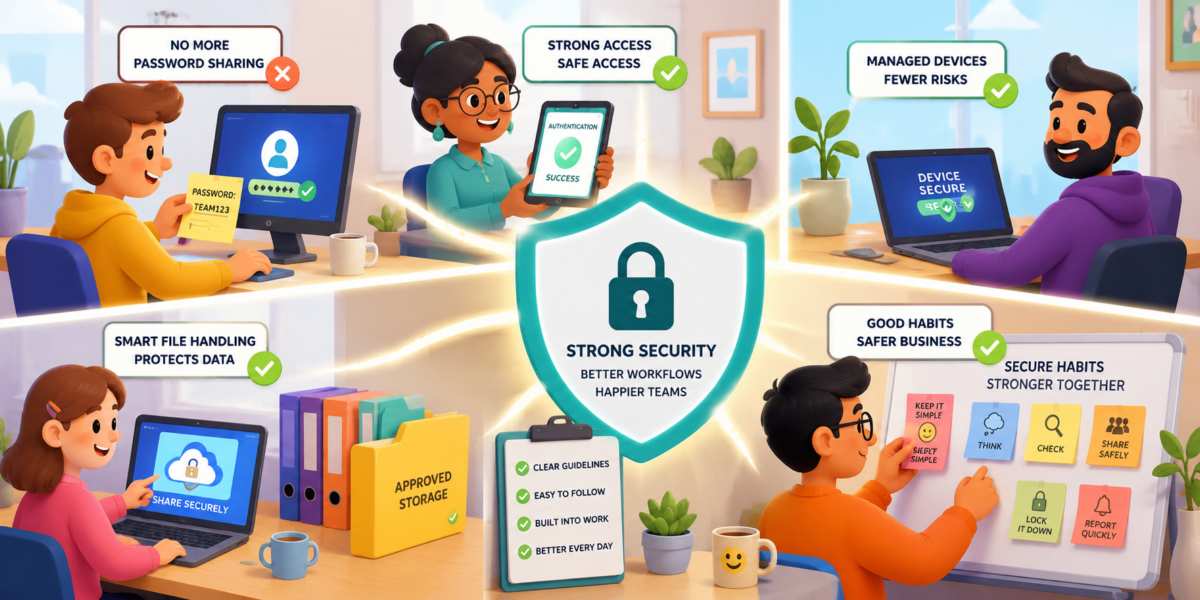 Some security risks do not kick down the door; they borrow Dave's password, open a shared spreadsheet, and quietly make themselves comfortable.
Cybersecurity conversations often focus on dramatic threats: ransomware gangs, zero-day exploits, nation-state attackers, and mysterious hooded figures typing aggressively in dark rooms. Those risks are real, but many breaches begin somewhere far less cinematic. They start with everyday workflow habits that feel harmless because they are familiar.
Password Sharing Is Not Teamwork
Sharing passwords usually begins with good intentions. Someone is out sick. A client needs something urgently. A login is "just for the team." Before long, one password has travelled through email, chat, sticky notes, and possibly a notebook labelled "Definitely Not Passwords."The problem is accountability. When five people use one login, nobody knows who changed a file, downloaded data, or clicked something suspicious. If that password leaks, the attacker does not need advanced skills. They just walk in through the front door wearing a fake moustache and confidence.
A better approach is simple: give each person their own account, use role-based access, and require a password manager. Password managers reduce frustration because staff no longer need to remember seventeen variations of the same password with an exclamation mark wearing different shoes.
Unmanaged Devices Create Invisible Doors
Personal laptops, old tablets, spare phones, and mystery devices connected to company tools can become serious risks. They may lack updates, security controls, encryption, or basic monitoring. A company can spend heavily on protection, then lose control because someone opened sensitive files on a home laptop last updated during the reign of flip phones.Organizations should keep a clear device inventory. Staff should know which devices are approved for work and what rules apply. This does not need to feel like a police checkpoint. Clear setup guides, automatic updates, and mobile device management can protect data without making employees feel trapped in an IT escape room.
Poor File Handling Turns Small Mistakes Into Big Problems
Files move constantly: invoices, contracts, reports, customer records, screenshots, exports, and drafts. The risk grows when people save them wherever convenient. Desktop folders multiply. Email attachments pile up. Cloud links get shared with "anyone with the link," which is basically putting confidential data on a park bench with a polite note.Good file handling starts with rules people can actually follow. Use approved storage locations, clear naming conventions, limited access permissions, and expiry dates for shared links. Sensitive files should not live forever in inboxes, downloads folders, or random chat threads.
Informal Processes Often Bypass Security Entirely
Many organizations have official procedures, but daily work tends to develop shortcuts. Employees create quick workarounds to save time, especially when formal processes feel slow or confusing. A manager asks for a document through a personal messaging app. A contractor receives files through an unapproved sharing service. Someone copies customer data into a spreadsheet because it is faster than using the approved system.None of these actions usually come from bad intentions. They come from people trying to get work done. Unfortunately, attackers do not care whether a security gap was created by carelessness or efficiency. A gap is a gap.
This is why security teams should study how work actually happens rather than how policy documents claim it happens. If employees consistently avoid a process, the answer is not always more training. Sometimes the process itself needs improvement. Security controls that fit naturally into workflows are far more effective than controls employees feel compelled to avoid.
Security Improves When Friction Decreases
A common mistake is assuming stronger security requires more complexity. In reality, complexity often creates new vulnerabilities because people look for ways around it.Organizations can improve security while making life easier for employees by focusing on practical changes such as:
- Using single sign-on to reduce password fatigue.
- Deploying password managers across the organization.
- Enabling multi-factor authentication for critical systems.
- Providing secure file-sharing tools that are easy to use.
- Automating software updates wherever possible.
- Giving staff clear guidance for handling sensitive information.
- Regularly reviewing who has access to important systems and files.
Some of the most successful security improvements are barely noticeable. Employees log in faster. Files are easier to find. Access requests are streamlined. Work continues smoothly while risk quietly declines in the background.
Access Granted to Common Sense
The largest cybersecurity vulnerability is often not hidden in sophisticated code or buried deep inside a network. It lives in everyday habits that seem too ordinary to attract attention. Password sharing, unmanaged devices, poor file practices, and unofficial workflows create opportunities that attackers are happy to accept.Organizations that focus exclusively on technical defenses can miss these routine behaviours entirely. Strong security comes from combining technology with practical, sustainable work habits. When people have secure tools that are simple to use, they are far more likely to follow the rules.
Cybersecurity does not always require dramatic changes, expensive projects, or endless layers of approval. Sometimes the most effective improvement is simply making the safe way the easiest way. That approach protects data, reduces frustration, and keeps the office password from being written on a sticky note that somehow becomes the company's most widely distributed document.
Article kindly provided by as-cs.co.uk
Latest Articles
- The Repair-or-Replace Calculation: When an Older Computer Is Still Worth Saving
- Why Commercial Roof Problems Often Start as Access Problems
- The Cybersecurity Weakness Most Businesses Overlook
- Waste Audits for Small Businesses: The Simple Exercise That Can Cut Costs
- Why Fitness Goals Fail at Work but Succeed at Home
- The Hidden Cost of Guessing What Your Competitors Are Doing
- Why the Best Commercial Sites Are Designed Around Traffic Flow Before Appearance
- Designing Offices That Still Work Five Years From Now
- Why the Most Successful Commercial Landscapes Prioritise Function Before Appearance
- How Businesses Can Stay Operational During Major Refurbishment Works
- Near Misses: The Most Valuable Workplace Incidents You're Probably Ignoring
- Choosing the Right Lifting Method Before Choosing the Equipment
- Why Visitors Ignore Half Your Homepage Within Three Seconds
- Why Most Cybersecurity Conversations Ignore the Biggest Vulnerability: Everyday Workflow Habits
- What Your Workplace Is Communicating Before Anyone Says a Word
- Planning an Office Renovation? Why Drywall Decisions Impact More Than Just the Walls
- The False Economy of Low-Cost Protective Solutions
- The Valuable Materials Hiding in Everyday Electronics
- The Hidden SEO Asset Most Small Businesses Ignore: Why Directory Listings Still Matter
- How to Renovate Without Losing Productivity: A Smarter Approach to Workplace Upgrades
- Sales and Marketing
- Human Resources
- Finance and Accounting
- Business Consulting
- Information Technology
- Supply Chain Management
- Manufacturing and Production
- Logistics and Transportation
- Risk Management
- Project Management
- Market Research
- Business Intelligence
- Customer Relationship Management
- Product Development
- Quality Assurance
- Outsourcing Services
- Procurement and Vendor Management
- Legal and Compliance
- Business Strategy
- Operations Management
- Leadership and Management
- Data Analytics
- Innovation and R&D
- Training and Development
- Ecommerce Solutions
- Public Relations
- Advertising and Promotion
- Branding and Identity
- Business Networking
- Event Management
- Office Environment